
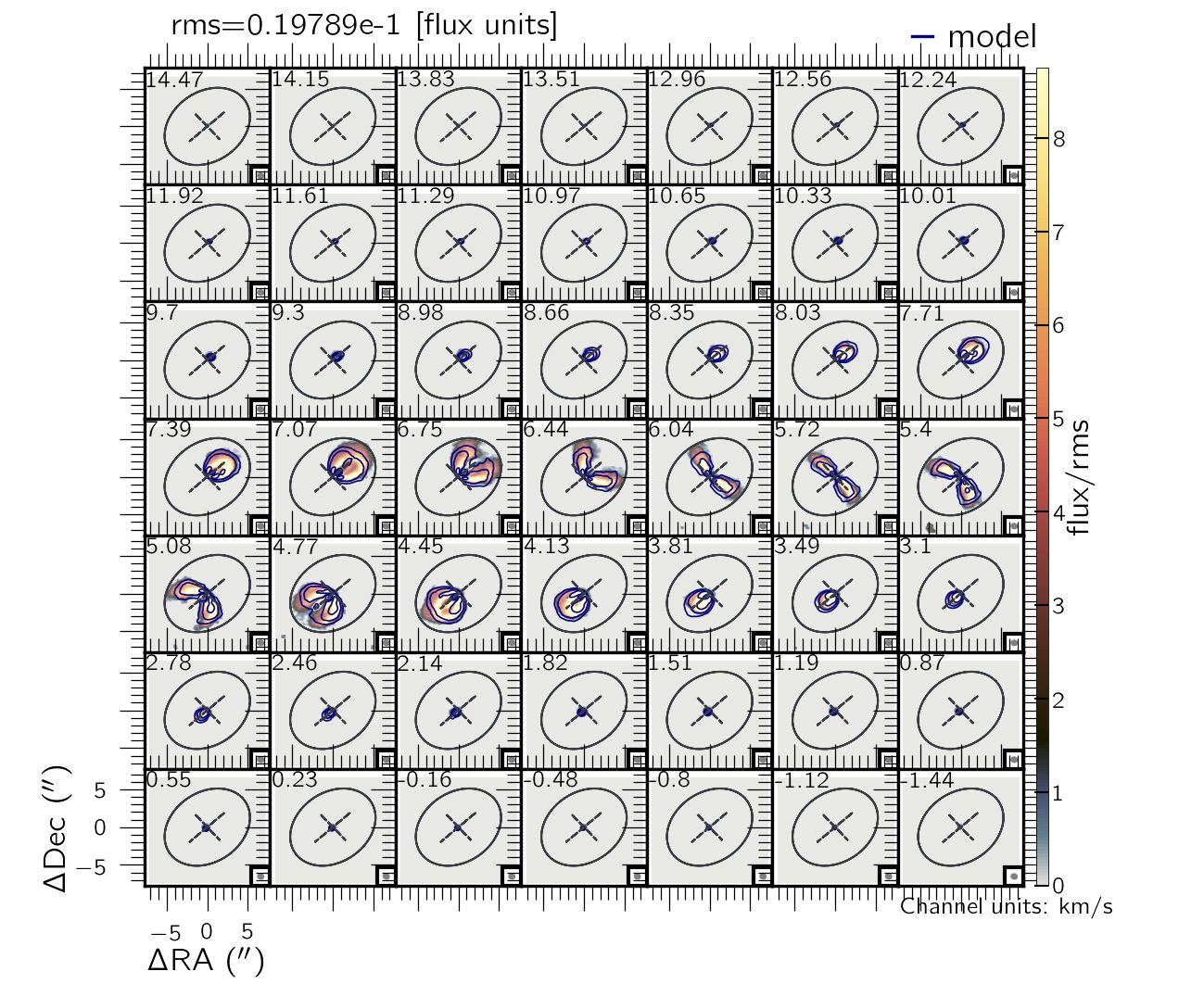
XS3D models the full spectral-line datacube rather than a velocity map. It builds a dense, rotating gaseous disk populated by clouds, integrates each cloud along the line of sight, and convolves the model with the observational beam/PSF and the line-spread function using FFTW. It works in wavelength, frequency or velocity space, so it handles Hα, CO, HI, [CII] and IR lines from IFS, ALMA, VLA and similar instruments.
Kinematic models: circular rotation, axisymmetric radial flows, free fall, bisymmetric (bar-like) flows, vertical flows (lagging) and a general harmonic decomposition of the line-of-sight velocity.
Tutorial: your first XS3D model
This walkthrough fits the simulated Hα cube shipped with the code (example/example_lambda.conv.fits): a disk at z = 0.0018 with a rotation curve reaching ~280 km/s and an oval distortion inside 10″ that adds radial (30 km/s) and tangential (50 km/s) non-circular flows.
Install
XS3D needs Python ≥ 3.8 and the FFTW library (used through pyFFTW). A dedicated conda environment is recommended.
# FFTW first, e.g. Ubuntu: sudo apt install libfftw3-dev   macOS: brew install fftw
git clone https://github.com/CarlosCoba/XS3D.git
cd XS3D
pip install .
Type XS3D in any directory to check the installation. It prints the calling sequence:
USE: XS3D name cube.fits [mask2D] [PA] [INC] [X0] [Y0] [VSYS] vary_PA vary_INC vary_X0 vary_Y0 vary_VSYS
          ring_space [delta] Rstart,Rfinal cover kin_model [R_NC_min,R_NC_max] [config_file] [prefix]
Prepare the data and configuration file
XS3D takes a continuum-subtracted cube with two spatial axes and one spectral axis. It reads the pixel scale (CDELT1/2 or CD1_1/CD2_2) and the spectral axis (CDELT3/CD3_3, CRVAL3) from the header. Everything else goes in an .ini file: copy the default xs3d/src/xs_config.ini into your working directory and edit it. For this example, the ready-made xs_conf_lambda.ini contains:
[header]
ctype3=lambda        ; spectral axis: lambda, freq, velocity_ms or velocity_kms

[general]
eline = 6562.68      ; rest-frame line, same units as the spectral axis
psf_fwhm = 2.5       ; spatial resolution (arcsec, FWHM)
fwhm_inst=6          ; instrumental broadening (spectral units, FWHM)
fit_disp=1           ; 0 fixed, 1 constant, 2 fitted in each ring
;nthreads=2          ; uncomment to run on several cores

[fitting]
vary_nc=2            ; non-circular terms fitted independently in each ring
vary_phibar=1        ; single bar position angle
Choose the disk geometry and rings
Give initial guesses for the position angle, inclination and kinematic centre, or use - to estimate them from moment maps. The vary_* flags (0/1) choose which of them are fitted. Here the geometry is fixed, the systemic velocity is fitted, rings are placed every 2″ from 1″ to 40″, a ring is used only if it is at least 1/3 filled, and non-circular motions are fitted out to 10″.
| Argument | Value | Meaning |
|---|---|---|
name |
example_lambda | Label for the output files |
cube.fits |
example_lambda.conv.fits | Input datacube |
mask2D |
- | Optional 2D mask |
PA INC X0 Y0 |
15 35 75.1 75.1 | Initial geometry (deg, deg, pix, pix) |
VSYS |
- | Estimated around the centre if omitted |
vary_PA … vary_VSYS |
0 0 0 0 1 | Which parameters are free |
ring_space [delta] |
2 - | Ring spacing (arcsec) and optional width |
Rstart,Rfinal |
1,40 | Radial range (arcsec) |
cover |
1/3 | Minimum filling fraction of a ring |
kin_model |
circular | circular, radial, bisymmetric, hrm_n, … |
R_NC_max |
10 | Outer radius of non-circular motions |
Run the models
From the example/ directory:
# circular rotation only
XS3D example_lambda example_lambda.conv.fits - 15 35 75.1 75.1 - 0 0 0 0 1 2 - 1,40 1/3 circular - xs_conf_lambda.ini

# axisymmetric radial flows inside 10"
XS3D example_lambda example_lambda.conv.fits - 15 35 75.1 75.1 - 0 0 0 0 1 2 - 1,40 1/3 radial 10 xs_conf_lambda.ini

# bisymmetric (bar-like) flows inside 10"
XS3D example_lambda example_lambda.conv.fits - 15 35 75.1 75.1 - 0 0 0 0 1 2 - 1,40 1/3 bisymmetric 10 xs_conf_lambda.ini

# harmonic decomposition up to m = 2
XS3D example_lambda example_lambda.conv.fits - 15 35 75.1 75.1 - 0 0 0 0 1 2 - 1,40 1/3 hrm_2 10 xs_conf_lambda.ini
Runs take from minutes to hours depending on the cube size. Set nthreads in the configuration file to use several cores, and Nboots in the [bootstrap] section to estimate uncertainties.
Inspect the results
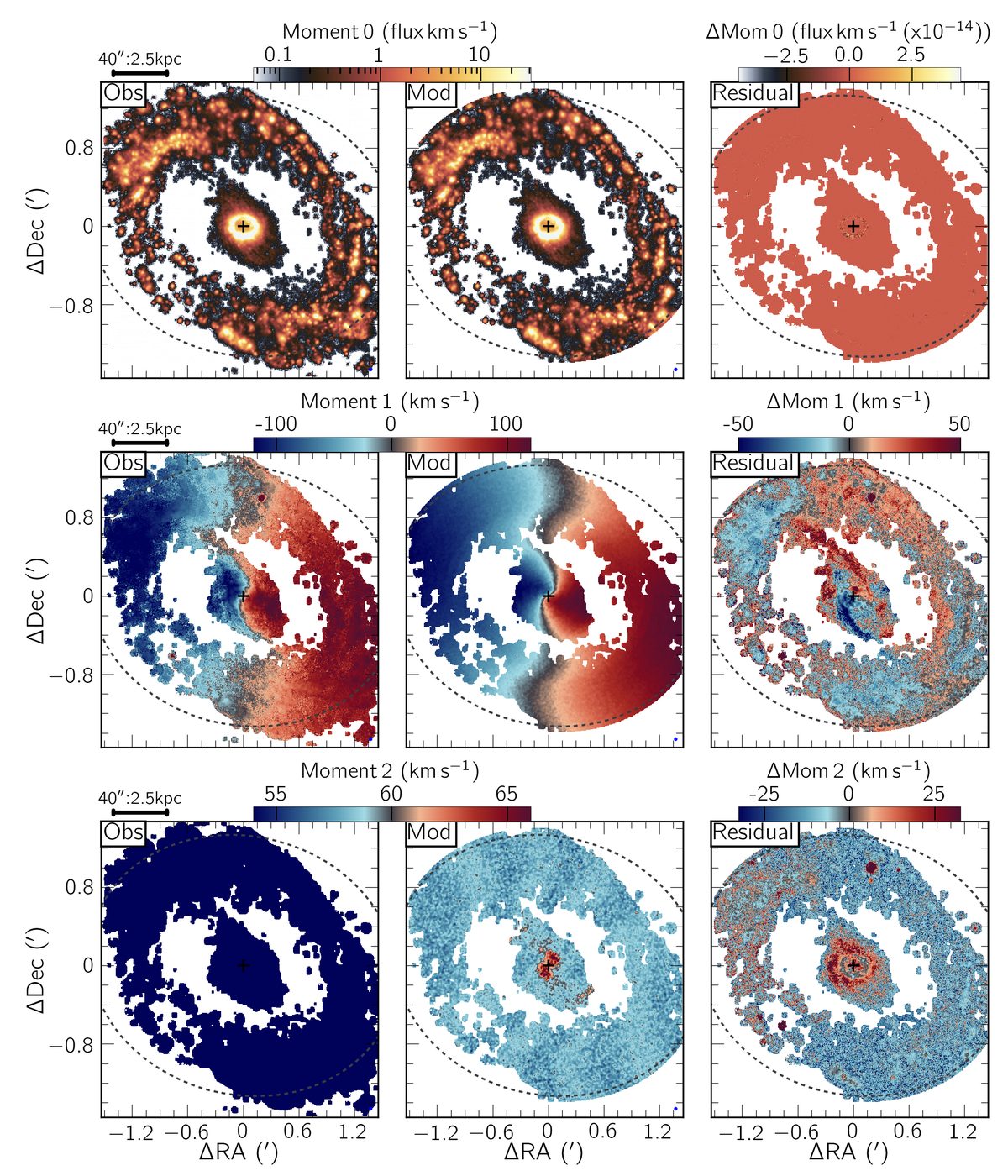
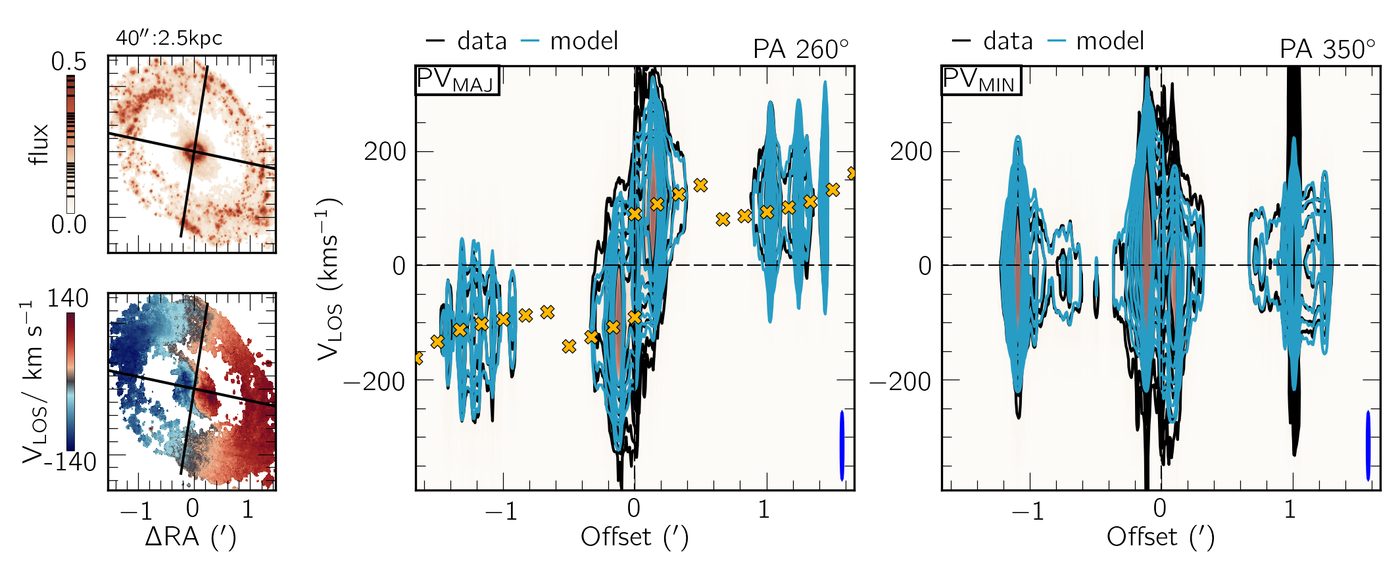
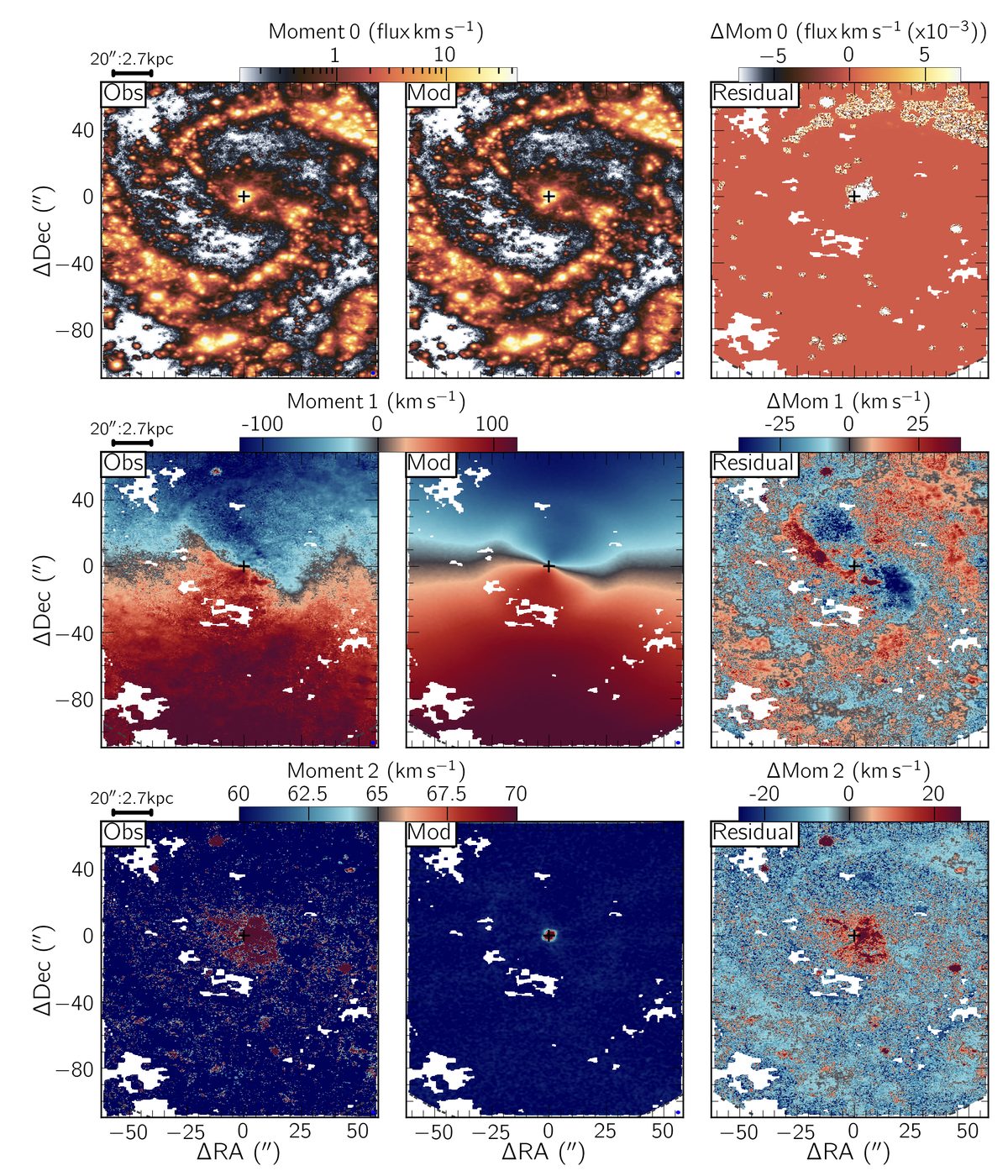
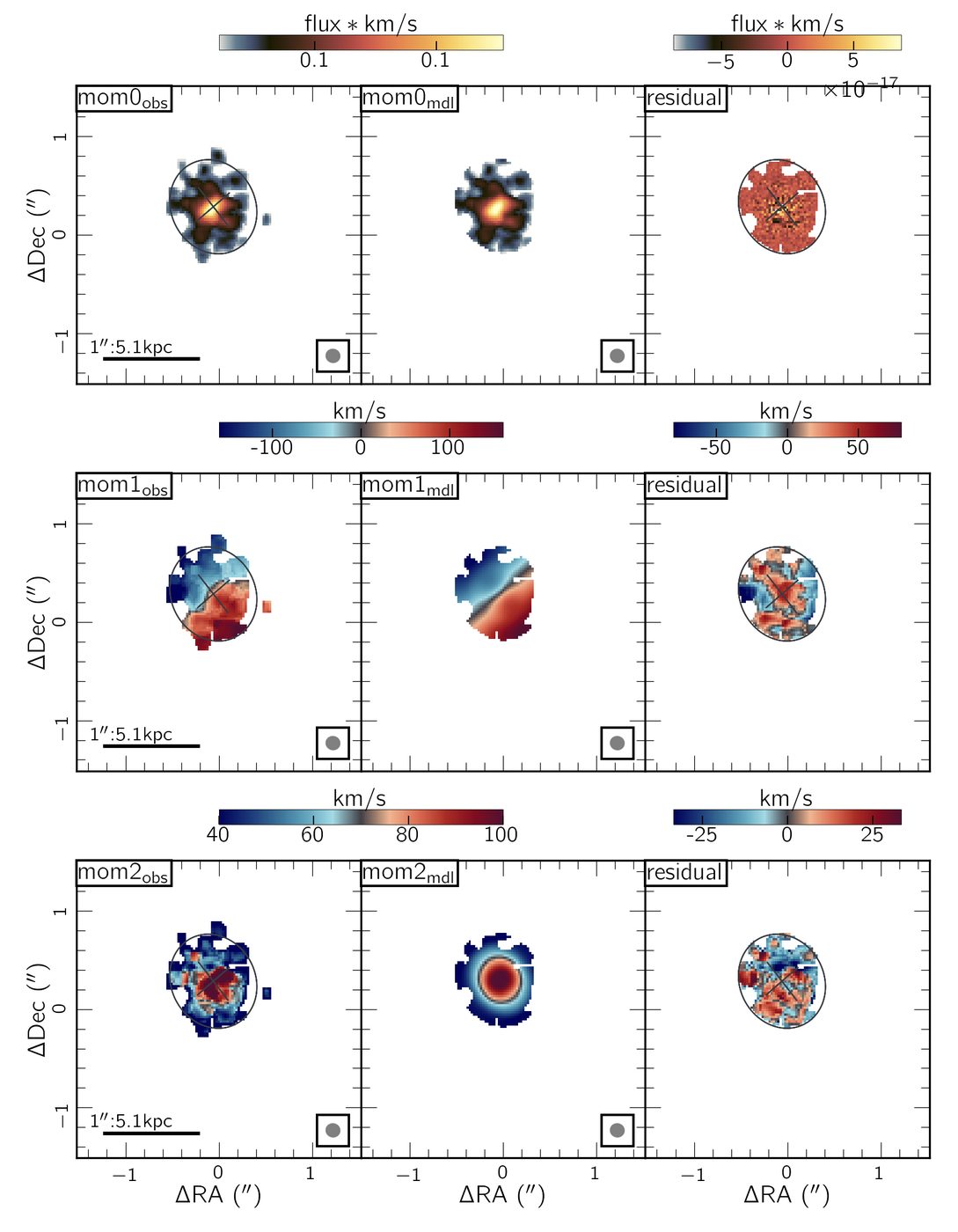
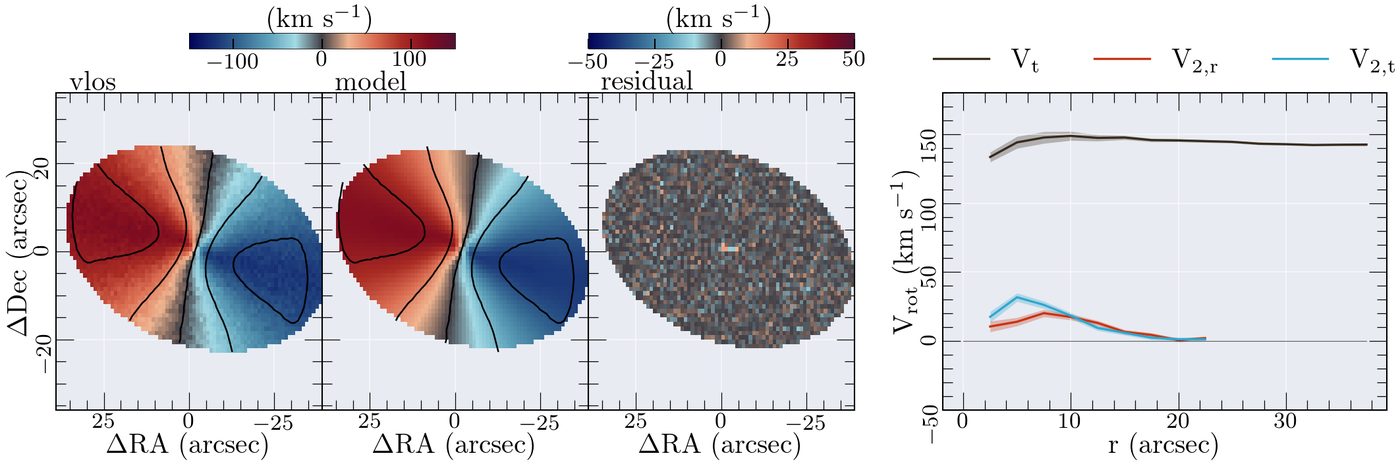
Publication-ready figures are written to figures/ (moment maps, residuals, rings on the sky, position–velocity diagrams and rotation curves). Model cubes and best-fit parameters are saved as FITS files in models/, documented in each FITS header.
Radio cubes and high redshift
For a frequency cube (e.g. HI at 1420.405752 MHz) set ctype3=freq and eline in Hz. The package includes example_freq.conv.fits:
XS3D example_freq example_freq.conv.fits - 330 50 75.1 75.1 - 0 0 0 0 1 2 - 1,40 1/3 circular - xs_conf_freq.ini
For high-redshift sources set redshift in the [high_z] section so the velocity zero point sits on the source, and give the beam with bmaj, bmin and bpa if they are not in the header.
Examples
XookSuut (XS) for 2D velocity maps
The original XookSuut fits 2D velocity maps (ionised gas, stars, HI, Fabry–Perot) with circular, radial, bisymmetric and harmonic models, combining least-squares fitting with Bayesian sampling through emcee, zeus (MCMC) or dynesty (nested sampling).
git clone https://github.com/CarlosCoba/XookSuut-code.git
cd XookSuut-code && pip install -e .
cd example
XookSuut example velmap0_example.fits.gz - 1 50 60 38 38 - 1 1 1 1 1 1.5 - 2,40 1/3. circular LM 5
XookSuut example velmap0_example.fits.gz - 1 50 60 38 38 - 1 1 1 1 1 1.5 - 2,40 1/3. bisymmetric LM 5 20
To sample the posterior, copy src/xs_config.ini, set mcmc_ana = True and mcmc_sampler = emcee, zeus or dynesty, then pass the file as the last argument.
Citing
If XS3D or XookSuut is useful for your work, please cite the release papers (XS3D, XookSuut) and the Zenodo record. XookSuut builds on models from DiskFit (Spekkens & Sellwood 2007) and RESWRI (Schoenmakers et al. 1997), so please acknowledge them too. Questions and bug reports are welcome on GitHub or by email.